
@Matt M Should be displayed on the right side of the node icon to distinguish between: Independent node, Node with child nodes inside or Reference node. 
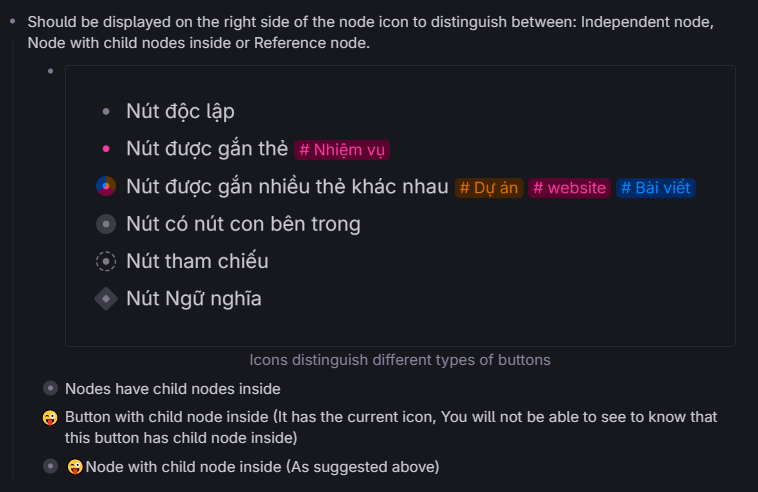

@Matt M Should be displayed on the right side of the node icon to distinguish between: Independent node, Node with child nodes inside or Reference node.
Hoang Nguyen
Spell correction can be turned off for Tana Desktop - By pressing the "Alt" key to display Menu > Options, uncheck "Toggle spellchecker" Then press Ctrl + R to Reload!
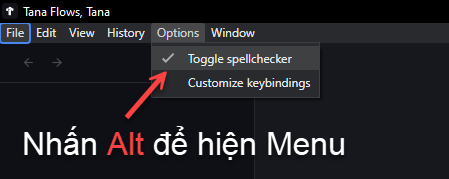
How to turn off grammar help and spell check, It works for English but for Vietnamese it's not correct and makes reading very uncomfortable
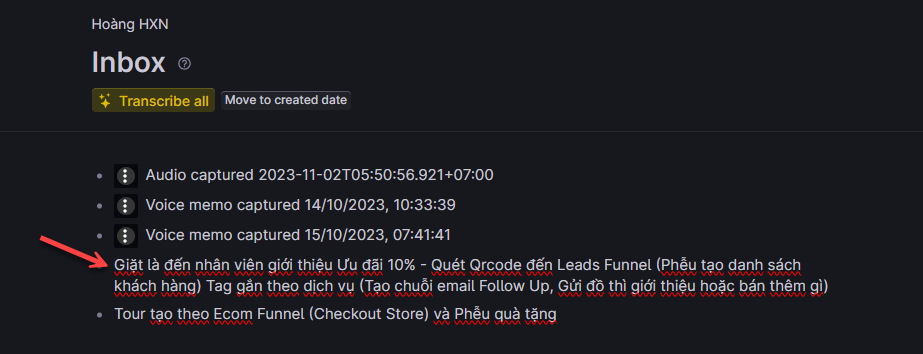
Totally agree, I also really want to contribute Vietnamese translation to Tana. This will help Tana reach faster to all global citizens. Similar to Canva strategy, they have localized as much as possible according to national cultures
Yes, Heptabase also has very impressive Visual Graph in this Video https://youtu.be/66Bn4xrshog
 I use POS SaaS sales management software like Shopify on the Web and it also has a mode to work Online and Offline when the network is out.
There is an icon displayed for the option to sync when the network is back as shown in the attached image:
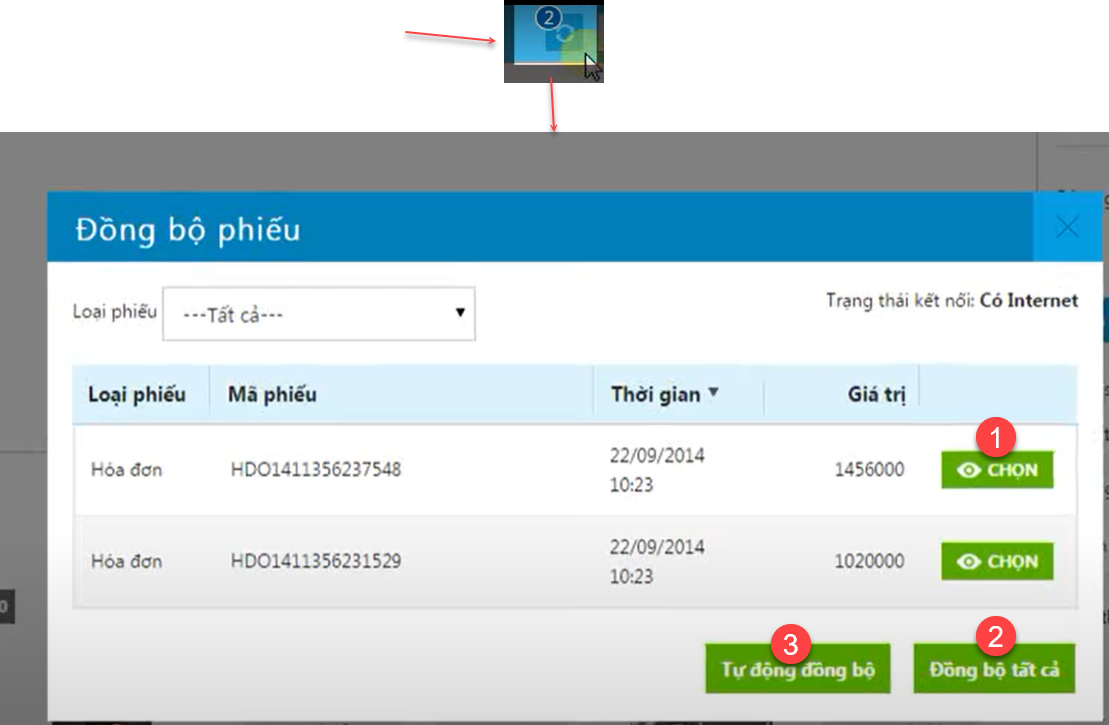
1- Select individually
2- Select all
3- or choose to automatically sync when network is available
 I think that will also be a great solution for Tana
Two use cases can be further referenced:
1- Larksuite Wiki https://www.larksuite.com/en_us/product/wiki allows switching Outline and Mind Map modes very conveniently => Watch the video for details: https://youtu.be/CWNbMpGjOtk
2- Tiago Forte uses https://milanote.com/ in this video https://youtu.be/RUKGZdJUiRU also worth a reference
Something Went Wrong
Tana would be perfect if added the
Focused writing feature to hide bullet points refer to this Focused writing feature of Scrivener
Add another level of titles to have H2 and H3 like the title options in the Ghost editor.